Everything that changes day to day — the message callers hear, who is on a break, where the calls go this afternoon — is a switch or a list in the Pear Portal. Changes take effect immediately, there is no support request to raise, and the portal shows who changed what and when.
Included on every Hosted-X licence · Role-based access · Two-factor sign-in · Runs in a browser, nothing to install
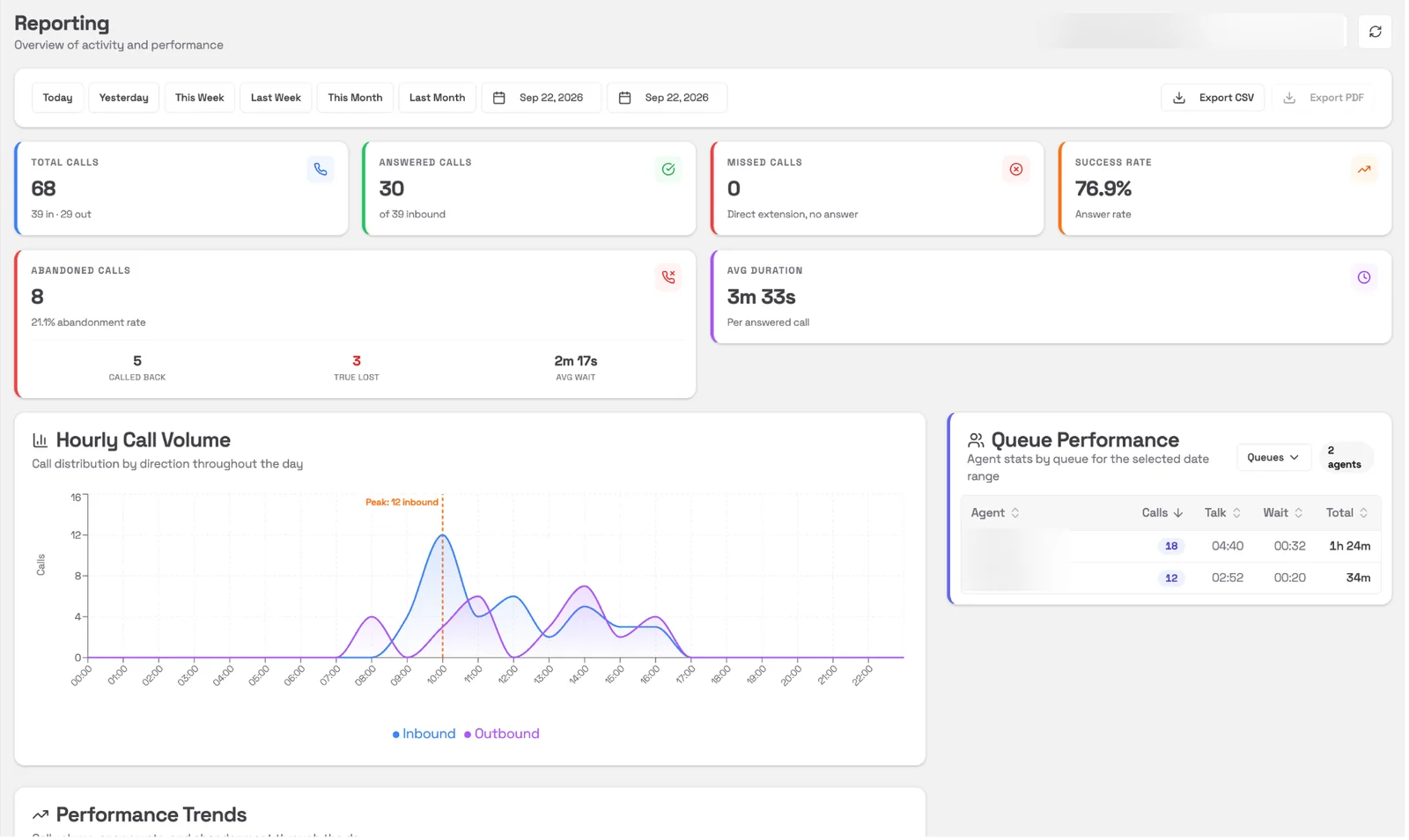
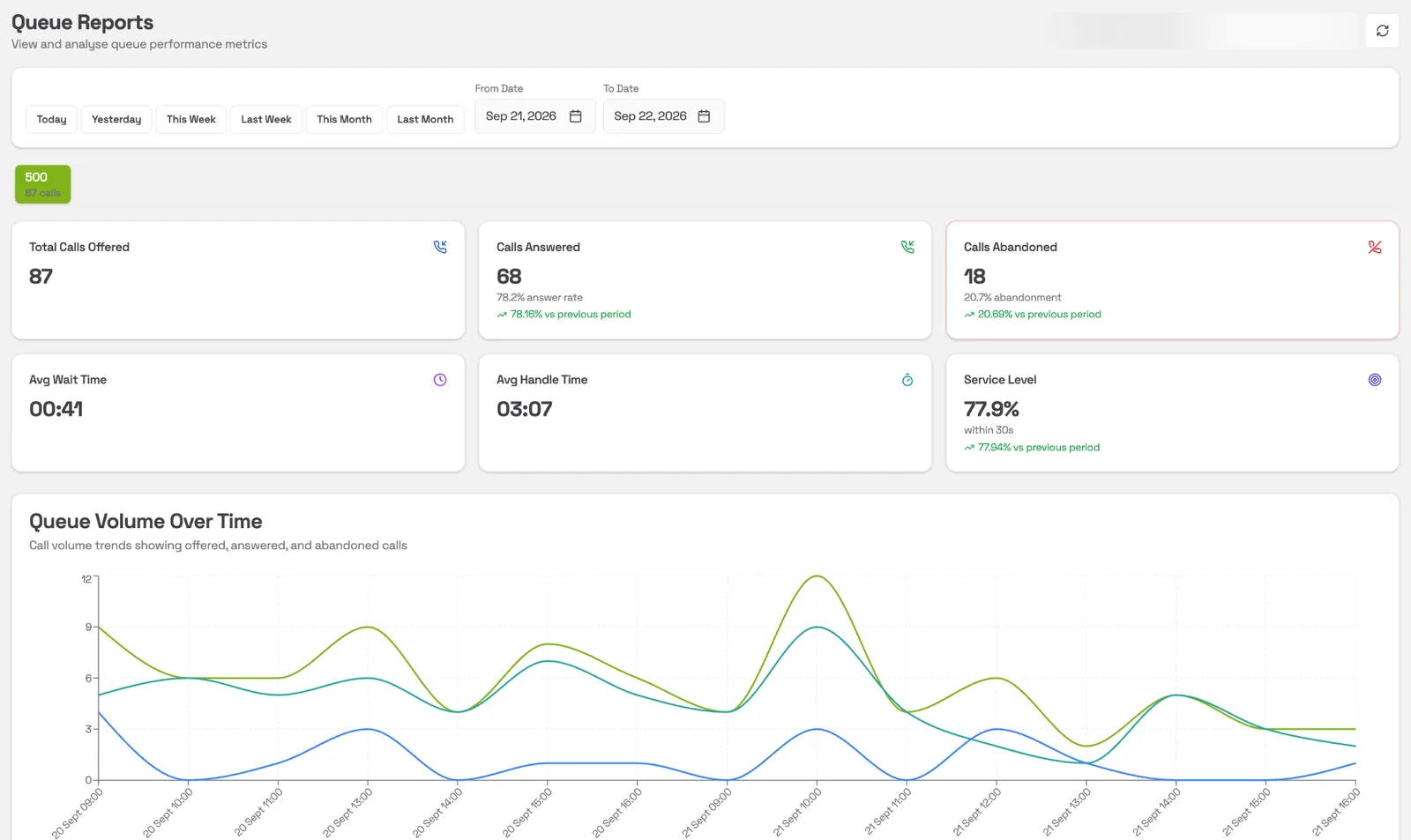
Reporting is part of the licence — there is no analytics tier and no per-seat reporting fee. Every figure carries its change against the previous period, so you can see whether things are getting better or worse, not just what happened. Every view takes a date range and narrows to one queue or one site, and the figures export for a spreadsheet or a board pack.
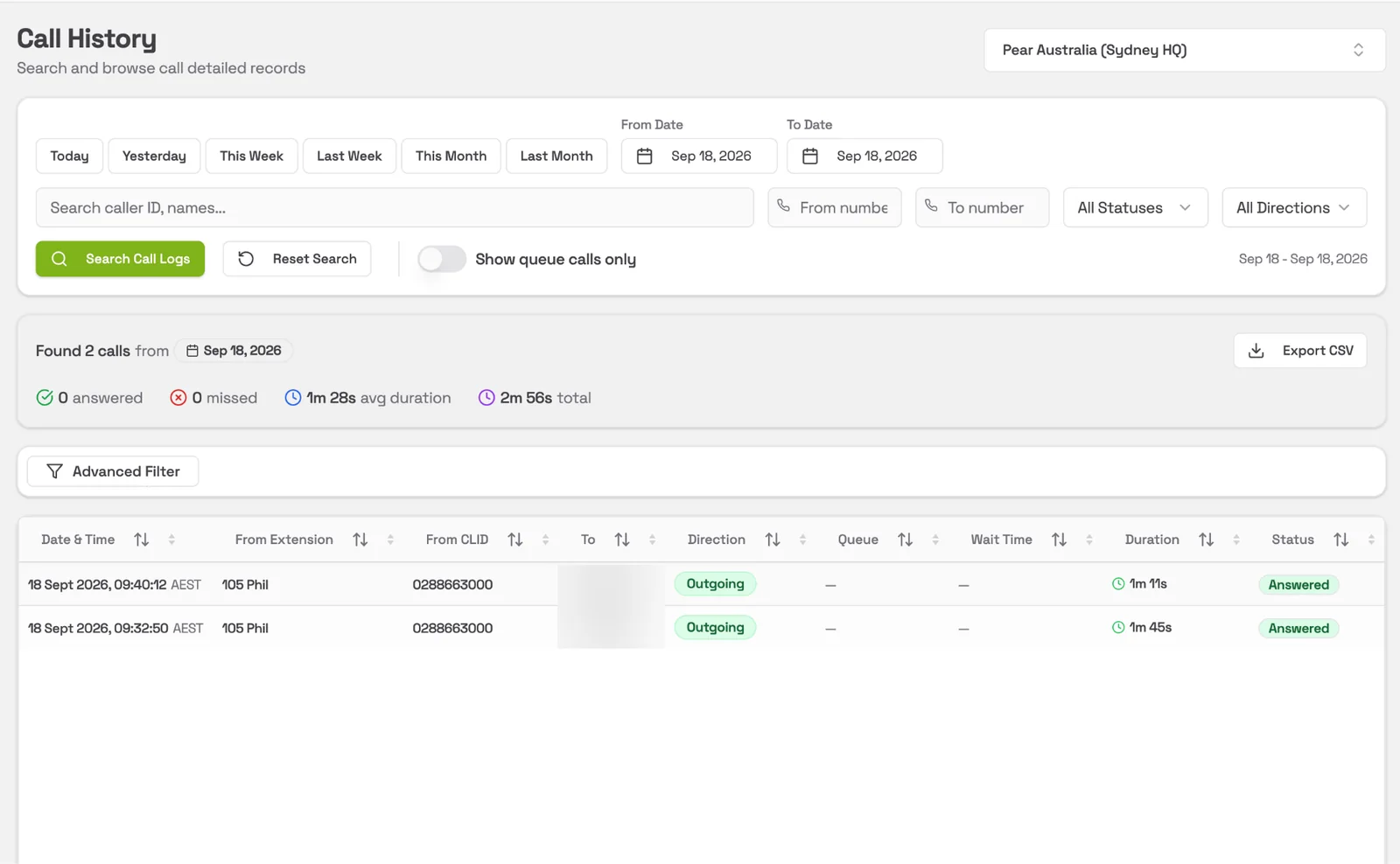
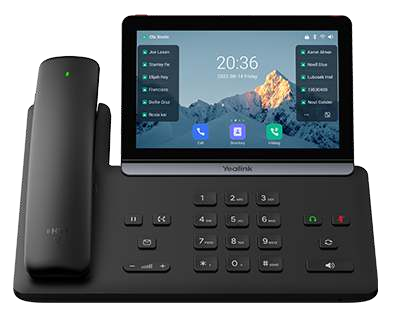
Every mode plays a recording you choose and routes calls where you tell it. Switch it in the portal, or with a code or labelled key on the desk phone — reception presses the one that says Break. The portal shows who set the mode that is live, and when.
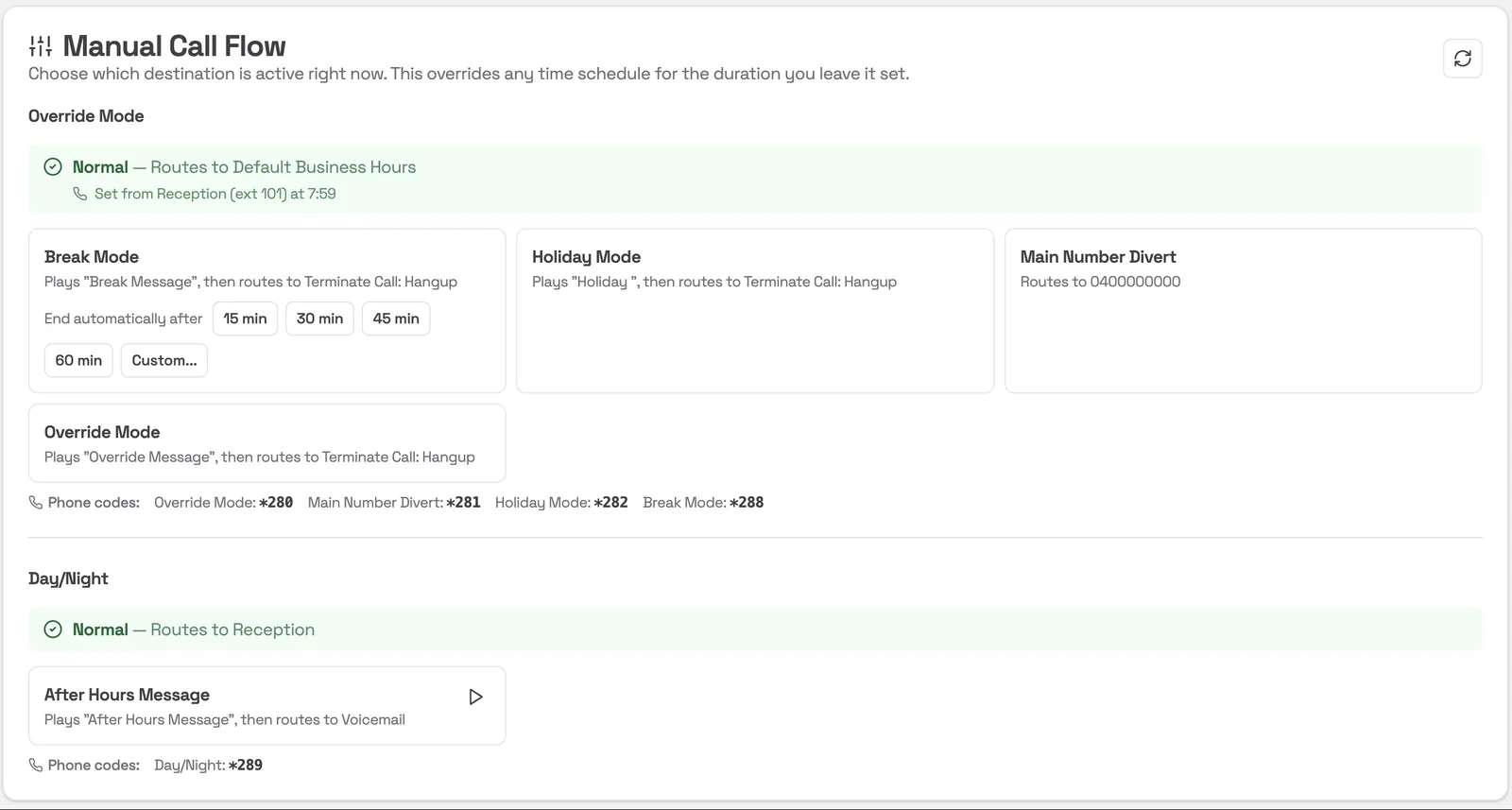
Your usual routing for the time of day — reception, a queue or the menu — following the business-hours schedule you set once.
Your break message, and it ends itself after 15, 30, 45 or 60 minutes, or a length you choose — the phones return to Normal without anyone remembering to switch them back.
Your after-hours recording, switched automatically by the Day / Night schedule or forced when the office closes early.
Everything to a mobile you nominate, saved in advance — so switching the main number to a phone is one click, not a configuration job.
Set closures as far ahead as you like, each with its own message. Callers hear that day's recording and the phones reopen by themselves.
Change the message that plays in any call flow, upload a new one, or record it over a desk phone. Block a nuisance number with a note so the next person knows why.
RACGP Health of the Nation 2026 has no statistics on phones, reception workload, missed calls or hold times — nobody measures that. The Pear Portal does, every week, for every site. The RACGP is not affiliated with, and does not endorse, Pear; figures are cited for reference.
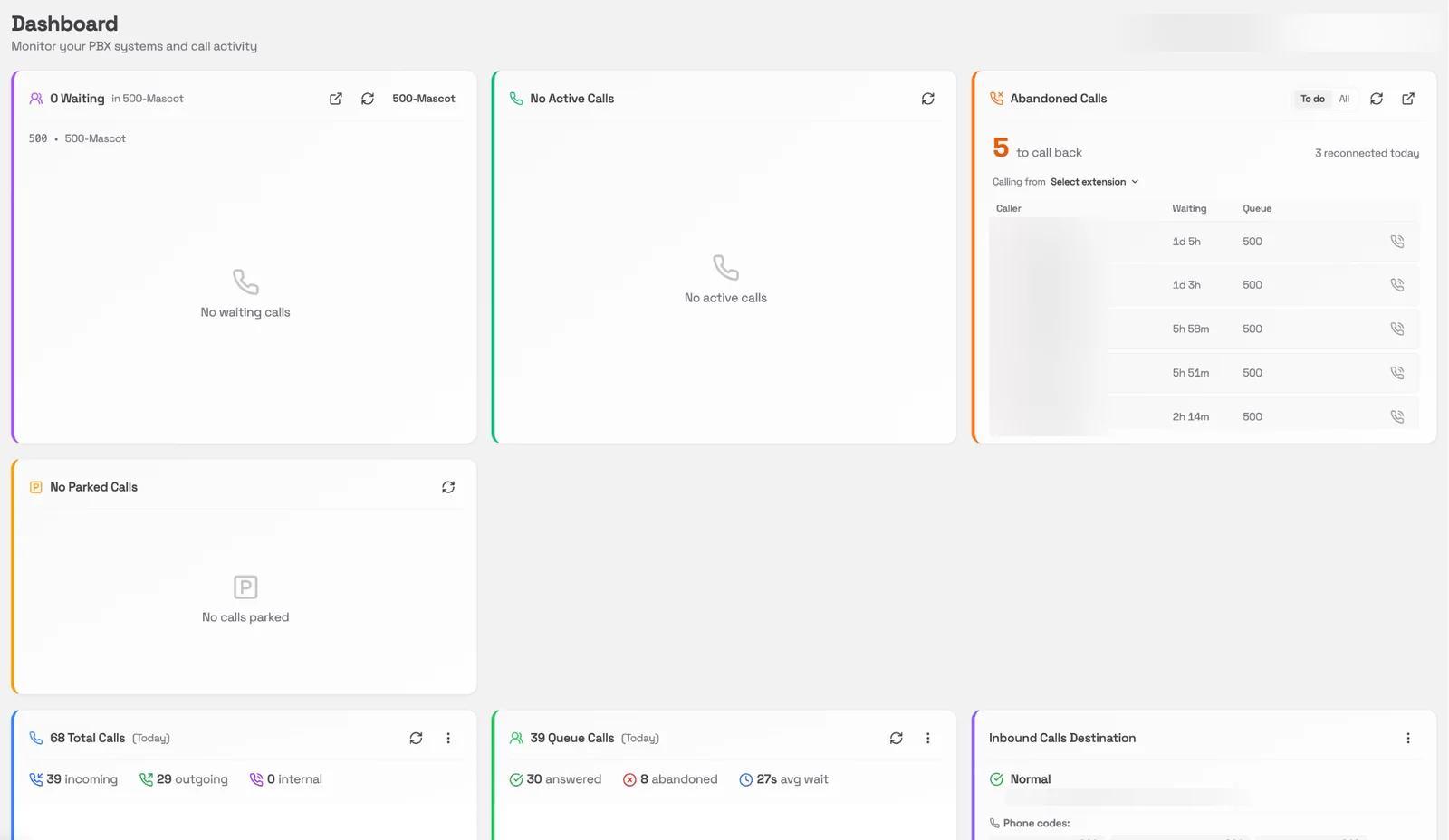
The dashboard carries a live list of callers who hung up waiting and have not been called back, with how long each one has been waiting — hours, not minutes, on a site that is not watching. Filter it to the ones still outstanding and call any of them straight from the list, from whichever extension you choose. It stays there until somebody has.
Abandoned calls are split into the ones somebody rang back and the ones nobody ever did. That second number — true lost — is the one worth watching, and most phone systems will not tell you what it is.
My Extension is the page every user gets: their status, their queues, their calls. Managers see the whole system; everyone else sees what they need.
Available, Away, Break, Lunch or Meeting — set on the extension, it switches on do-not-disturb and pauses that person in every queue they are in.
Dial any number directly from the portal — from a call record, the Zero List or the dialpad.
Join and leave call queues yourself, and see every extension's live presence and queue membership.
Queue status pops out onto its own screen for the office wall — waiting callers and who is free, in real time.
Send and receive SMS from the portal, and broadcast a message to your whole team.
Playback and search in the portal. Add Aria Scribe and each recording comes back with a transcript and summary — an optional paid module for any customer who wants it.
Every site runs on the same platform, so the reporting rolls up as far as you need it to. Access follows the org chart, not the phone system: one login, and each person sees exactly the sites they are responsible for.
A practice manager sees their site. A district manager sees their five. A state manager sees their thirty, and the national team sees all hundred-plus — the same dashboards and queue reports at every level, side by side or combined, from the one login.
Set the figures that matter — service level, abandoned calls, wait time — and the portal tells you when a site falls outside them.
Click to call from your CRM, and an open API for call control and integration. If what you need is not there, the people who build the platform are Australian based — ask, and it is assessed by the developers, not a vendor's queue.
User, Manager and Multi-Site Manager — a practice manager can be given the parts they need without being given the system.
Email and password in any browser, with two-factor authentication you can switch on from Settings. Nothing to install on the practice computers.
The portal and everything in it runs in Australian data centres Pear operates, on a platform certified CyberCert SMB1001 Gold.
Hosted-X comes with the Pear Portal from day one. Try it on a live system for 30 days — handsets included, your old phones stay up, no charge if you walk away. A person in Australia sets it up with you.